
To buy Rust cheats at Nano Cheats, choose Disconnect Rust External or Disconnect Rust Internal, select an available license duration and add it to your cart. Review the selected product and total, enter your checkout email, then continue to payment. After payment, use your order details or My Keys to find the delivered license and follow the matching setup guide.
This guide explains that purchase path and the checks to make before paying. If you are still choosing a build, use the Rust product comparison; if you have already paid but cannot find access, use the customer access guide.
Before You Buy: What You Need to Know
It helps to understand which Rust build fits your needs and how to compare its license prices first. Browse the Rust cheats overview for the offer and read the Terms of Service before paying.
Understanding the Risks
- Scam websites — take your money and disappear
- Detected or outdated builds — increase the risk of an account restriction
- Tampered downloads — can expose account credentials or other personal data
- Poor support — no help when something breaks
- Account theft — compromised payment or login details
Important: Verify the seller, the exact product and the official delivery and support paths. A developer or reseller label alone does not establish reliability. Avoid unsolicited payment links and downloads whose source you cannot verify.
External vs Internal
- External — runs outside the game process and uses a different interaction model from an injected build.
- Internal — operates within the game process. Compare its listed controls and requirements; the label alone does not establish speed or detection outcomes.
We offer both as Disconnect Rust External and Disconnect Rust Internal so you can compare their operation, requirements, and feature depth.
Step-by-Step Buying Guide
Step 1: Choose the Rust Product
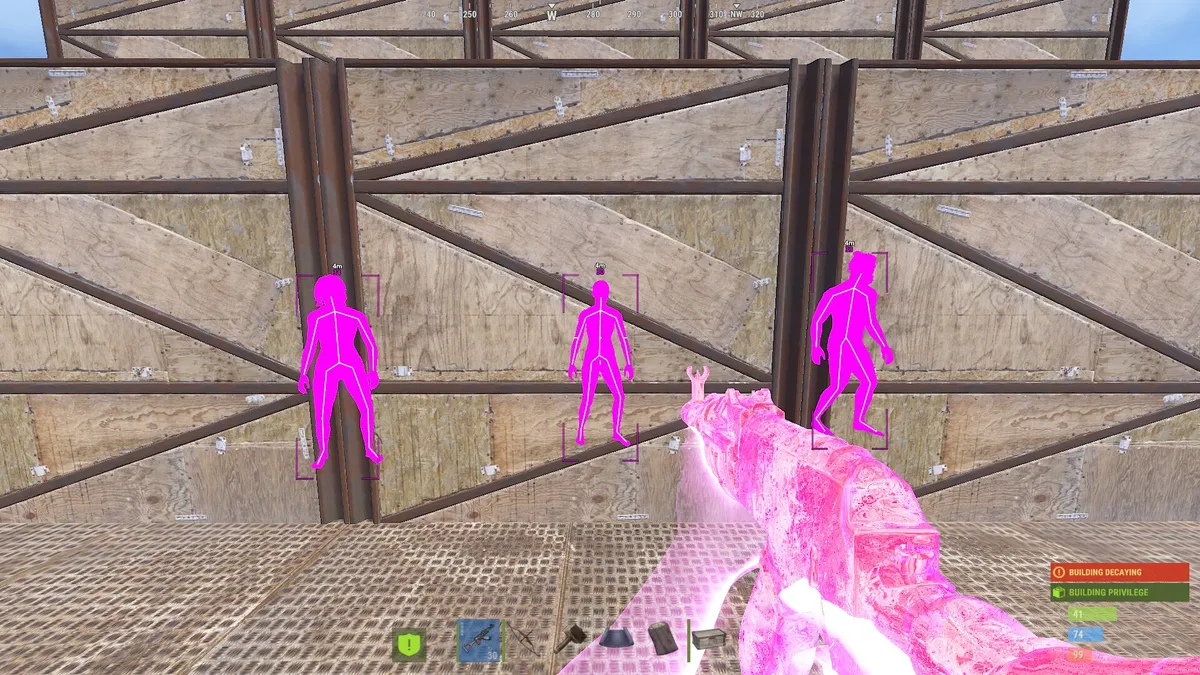
Open Disconnect Rust External or Disconnect Rust Internal. Read its feature groups and system requirements before selecting a license. Both list aimbot, ESP and radar, but the named controls and setup instructions differ.
Make sure the product is a Rust cheat license. A Rust Steam account, a Wardogs license and an installation-service add-on are separate items; none substitutes for the selected Rust software license.
When comparing another seller, verify its official store and support path as well:
Green flags:
- Fast updates after Rust and EAC changes
- A public status page showing current detection state
- An active Discord with real users and real support
- Direct sales through the official site
Red flags:
- Promises of "100% undetected forever"
- No status page or update history
- Only anonymous payment with no support
- Pressure to buy immediately
Step 2: Check the Status Before You Pay
Open the status page and review the current label for the build you want. Follow the guidance shown there and do not treat any status label as a permanent guarantee.
Step 3: Select a Duration and Review the Cart
Select the product first, then the named license duration. A day, week or month describes access length; it does not by itself establish recurring billing. Products can offer different durations, so compare the same period where it is available.
Use the Rust license pricing guide to compare catalog plans. Only the options shown for your selected product are offers you can choose. If a lifetime option is offered, read its stated conditions rather than assuming that every build includes one or that it guarantees permanent support.
Add the selected license to your cart and check the product, duration, quantity and total. If you selected Installation Service, review that separate optional item too. A change to the cart total should be reviewed before you continue.
Step 4: Enter Your Email and Continue to Payment
Use an email address you can access. This is the address you will need for your order confirmation and the My Keys sign-in flow. If you have a coupon, apply it and confirm the result before continuing; typing a code alone does not apply it.
Select Continue to Payment and follow the checkout opened by the store. Review the final items, total and payment method there. Review the terms and protections of that payment method before paying; they vary by processor and transaction type. Keep your receipt and order reference for support.
Step 5: Follow the Delivery Instructions
After payment, check your order details and My Keys, signing in with the same email used at checkout. Confirm that the delivered key belongs to the purchased Rust build. Keep it private and use it only with that build's instructions.
If payment is still processing or the delivery is missing, check the order state and your email, including spam. Contact support with the order reference and selected product. Buying another license does not diagnose a missing delivery.
Step 6: Open the Matching Setup Guide
Open the Rust External setup guide or Rust Internal setup guide, matching the product in your order. External's overlay step uses SteelSeries GG; do not mix its steps with another build's workflow.
The installation preparation guide helps identify requirements and setup errors. Use official support for update notices or an unresolved purchase question.
What to Look for in a Provider
Status page — a current product label that you can check before buying or launching.
Support — active Discord, responsive tickets, a helpful community.
Update information — clear notices about when to wait, obtain a new build or follow revised instructions after a game update.
Documentation — clear install and configuration guides.
Features that matter for Rust:
- Aimbot with smoothing, FOV control, bone selection and visibility checks
- The specific player and world information you need, within the product’s listed visibility and distance limits
- Recoil control, radar, movement options and saved configs
Common Buying Mistakes to Avoid
Buying from unknown sellers — unsolicited offers and unofficial payment links are harder to verify and provide fewer reliable support paths.
Falling for "free" or "cracked" cheats — repackaged files can be outdated, tampered with, or disconnected from any maintained support channel.
Not checking the status page — you may miss a current detection, testing, or compatibility warning.
Ignoring the refund/guarantee policy — read it before you pay.
Red Flags and Scams
Fake websites: clones of real sites with slightly different URLs. Bookmark the real site and only use that.
Discord impersonators: "staff" DMing you a special deal. Verify staff claims through the support links published on the official site before acting on a message.
Unclear sales channels: verify who supplies the license and who handles delivery and support. Do not assume those responsibilities from a seller label.
Cracked cheats: unofficial copies of paid software. Their contents, version, and update history cannot be trusted without independent verification.
If an offer cannot be verified through the published seller and support paths, resolve those questions before paying.
Frequently Asked Questions
How much should I expect to pay for Rust cheats?
Use the current Rust pricing guide and product purchase panels. Compare a named duration, not an assumed monthly rate. Price alone does not establish quality or safety, and lifetime is only relevant when the selected product actually offers it.
Can I get a refund if the cheat gets detected?
Nano's published terms state that sales are final and non-refundable, except where applicable law requires otherwise. Read the Terms of Service before paying; the terms do not promise a refund because a cheat is detected.
Is it safe to use my card?
Use the official checkout and review the payment provider’s terms. HTTPS protects the connection but does not, by itself, verify a seller or guarantee the outcome of a purchase.
How do I know a provider is legit?
Verify the official store, its product specification, current status notice, support links and purchase terms. A Discord member count or a high price does not establish reliability on its own.
Can I share my license with friends?
No. Nano's terms prohibit sharing a license, and the FAQ states that a personal license may only be used on the computer where the key was first redeemed. Ask support about a machine change rather than sharing or moving a key without confirmation.
Conclusion
Reducing avoidable risk comes down to verifying the provider, checking current status information, reading the terms, and buying through the official checkout.
Key takeaways:
- Judge the provider on updates, status page, and support
- Check the status page before you pay
- Choose an offered duration and read its activation, expiry and payment terms
- Review the protections and conditions of the payment method offered
- Use the verified seller’s checkout and avoid unsolicited DMs or unverified downloads
After buying, read the Rust installation guide and Rust settings guide. Still deciding between buying and building? See can I make my own Rust cheats.
Remember: no status label removes all risk. Check the live status page and follow the current product instructions before use.